
S7900VI
S7900VI Odd-Form Insertion Machine (S7900 Vision Variant)
S7900VI odd-form insertion machine, vision variant of the S7900: inline PCB conveyor, vision-assisted insertion of terminals, pins, eyelets, switches.
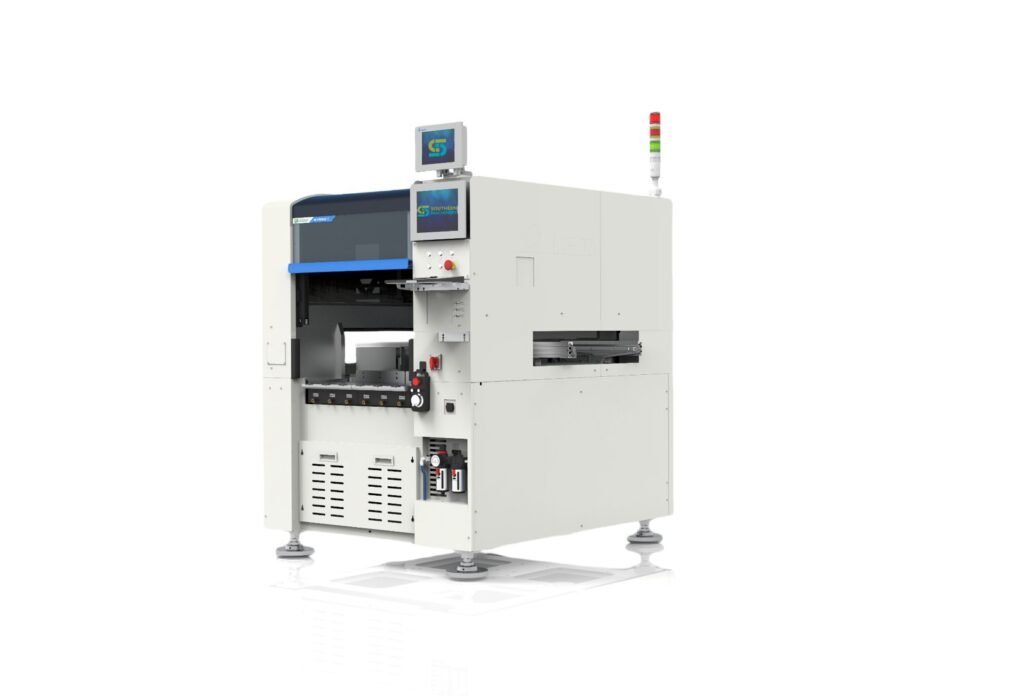
Odd-form insertion with vision, in the line.
The S7900VI is a variant of the S7900 odd form insertion machine, built for in-line PCB handling, flexible feeder integration and vision-assisted insertion of terminals, pins, eyelets, tact switches and similar odd-form parts.
It suits THT and mixed SMT + THT boards where repeated odd-form insertion positions make manual insertion costly or unstable.
Speed and accuracy for the S7900VI are not published on www.smthelp.com or on its landing page; they are confirmed for your board in the quotation.
At a glance
- S7900VI — variant of the S7900 odd-form platform
- 1560 × 2000 × 2800 mm — machine size used in the S7900VI landing-page model
- Inline — PCB conveyor workflow
- Vision assisted — visual confirmation in the insertion area
- Flexible feeding — tray, tape, tube or belt feeders by component
Where manual odd-form insertion hurts
Odd-form proposals start from the component mix: type, lead shape, packaging and insertion positions.
- Labour: Repeated terminal, pin and connector insertion ties up operators.
- Consistency: Manual insertion repeatability varies by operator and shift.
- Isolated islands: Manual stations break the conveyor flow of the line.
- Mixed packaging: One board can carry parts in trays, tape, tubes and bulk.
What the S7900VI adds — Feature, Advantage, Benefit
Four functions from the S7900VI product data.
Focus: Odd-form insertion
Terminals, pins, eyelets, tact switches.
- Feature: Designed for automated insertion of odd-form parts such as terminals, pins, eyelets, tact switches and similar through-hole components.
- Advantage: Parts that a standard inserter cannot handle move off the manual bench.
- Benefit: Less manual insertion on power, control and appliance boards.
Key points: Terminals / pins · Eyelets · Tact switches
Vision: Vision-assisted process
Confirmation in the work area.
- Feature: Visual confirmation and sensing support the insertion process in the working area before or during placement.
- Advantage: Part and position are checked as part of the cycle.
- Benefit: More repeatable insertion than manual handling.
Key points: Vision module · Visual confirmation · Process control
Inline: Inline PCB handling
Conveyor-based flow.
- Feature: PCB conveyors and work support structures let the machine sit in the production flow instead of as an isolated cell.
- Advantage: Boards enter, are inserted and exit to the next process automatically.
- Benefit: Odd-form insertion becomes a line station, not a manual island.
Key points: PCB conveyor · Support platform · Downstream handoff
Feeding: Flexible feeder combinations
Matched to the product mix.
- Feature: Feeder combinations are selected by package style: tray or custom presentation, tape, tube or belt feeding, or mixed configurations on one project.
- Advantage: Several component families can run on one machine.
- Benefit: The configuration follows your BOM rather than the other way round.
Key points: Tray / tape · Tube / belt · Mixed feeders
S7900VI product data
Values from the S7900VI landing page. Published figures for the S7900 platform (S7900IV / S7900IV-W) are on the S7900 page.
Confirmed product data
| Parameter | S7900VI |
|---|---|
| Model | S7900VI |
| Machine type | Automatic odd-form insertion machine (variant of S7900) |
| Overall size | 1560 × 2000 × 2800 mm (size used in the landing-page model) |
| Line concept | Inline PCB conveyor workflow |
| Work zone | Odd-form insertion area with visible head motion |
| Typical components | Terminal, pin, eyelet, tact switch and similar odd-form parts |
| Feeding concept | Configurable feeder combinations according to the application |
| Maintenance-relevant modules | Conveyor, support platform, gripper / nozzle, safety light curtain, pneumatics |
| Workflow | PCB in → pick parts → vision → insert → PCB out |
Throughput, accuracy and utilities for the S7900VI are confirmed against your board, components and feeder configuration in the quotation.
Compatibility and interfaces: Terminals, Pins, Eyelets, Tact switches, Connectors, Inline conveyor
S7900VI views
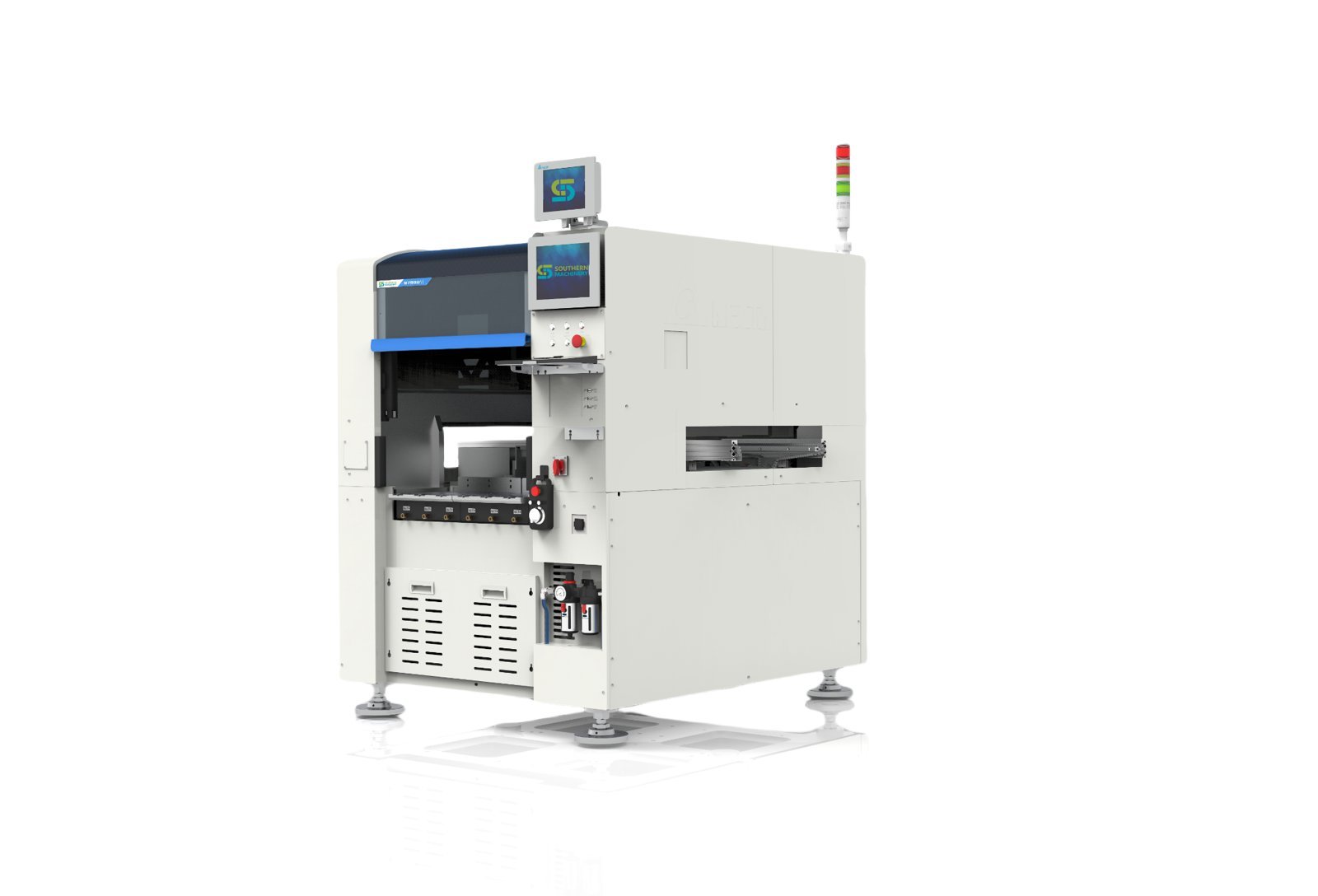
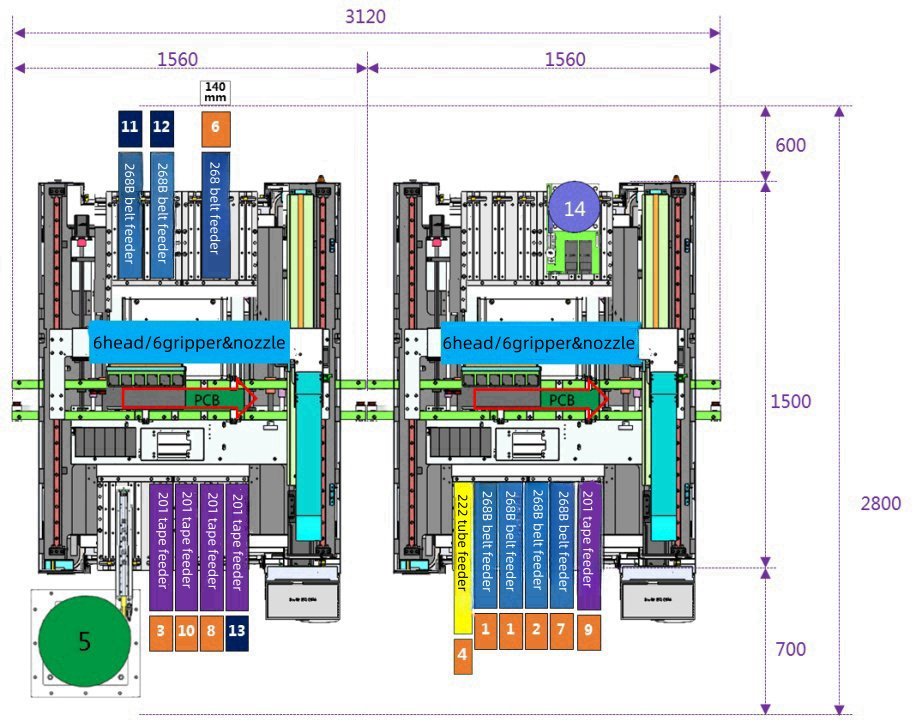
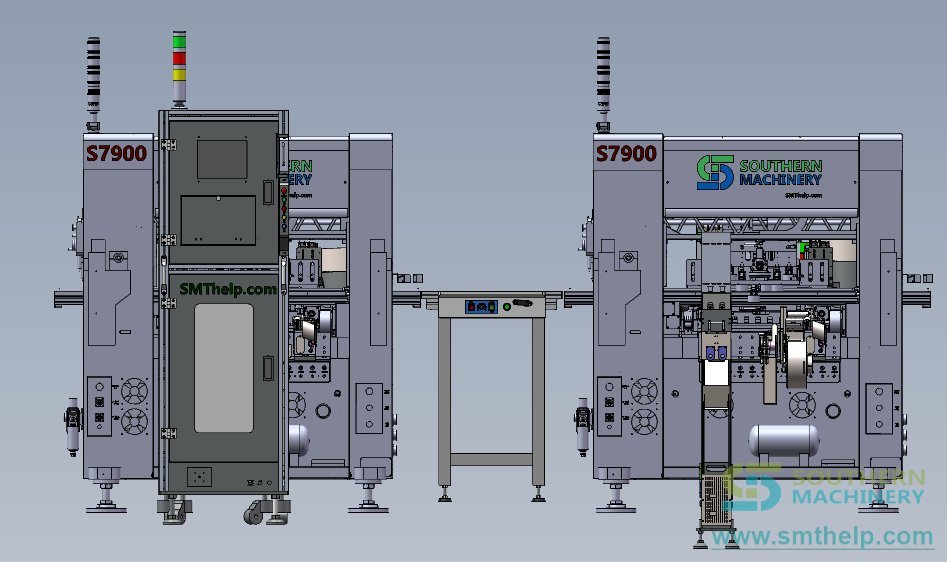
Interactive 3D demo
Open the interactive 3D model of the S7900VI and its insertion line (opens in a new tab).
Related: Base model: S7900 Odd Form Insertion Machine.
From component review to insertion solution
- 1 · Component review — Component families, package styles, lead forms and supply condition.
- 2 · PCB study — Board dimensions, insertion positions, spacing and process sequence.
- 3 · Feeder definition — Feeder concepts selected for each odd-form part family.
- 4 · Machine proposal — Configuration, workflow logic and line integration.
- 5 · Customer evaluation — Sample boards, throughput expectations and solution scope.
Frequently asked questions
How does the S7900VI relate to the S7900?
It is a variant of the S7900 odd-form insertion platform with a vision-assisted, in-line configuration. Published S7900 figures are on the S7900 page; S7900VI values are confirmed in the quotation.
Which components can it insert?
Terminals, pins, eyelets, tact switches, connector-style parts and similar odd-form through-hole components.
Which feeders can it use?
Tray or custom presentation, tape, tube or belt feeders, chosen by package style and orientation needs; different feeder types can be combined on one machine.
Can it run in a line?
Yes. It is designed around an in-line PCB conveyor workflow, with boards entering from upstream handling and leaving to the next process.
What speed and accuracy should we plan with?
These are not published for the S7900VI. We measure them on your board and components and state them in the quotation.
What should we send for an evaluation?
PCB drawing and dimensions, odd-form component list and quantities, packaging condition, insertion positions, target throughput and the upstream and downstream processes.
Engineering Review
Send PCB details for a practical machine recommendation.
Useful details: PCB type, board size, component list, monthly volume, current worker count, line layout and target automation goal.
Next step: Send the PCB drawing, component list, packaging condition and target output. We study the feeding and the solution fit.
Engineering Review
Send PCB details for a practical machine recommendation.
Useful details: PCB type, board size, component list, monthly volume, current worker count, line layout and target automation goal.
Send the PCB drawing, component list, packaging condition and target output. We study the feeding and the solution fit.